Find Boxes
  • Home
  • Pricing
  • Blog
  • Documentation
  • About Us
  • Contact Us
  • Log In

Jason

MCP server for your inventory
Inventory

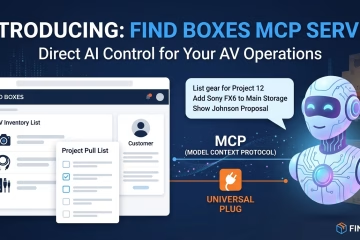
Find Boxes Is Now AI-Ready: Introducing Our Official MCP Server

We’ve been watching the AI assistant space evolve rapidly, and one thing has become clear: the most powerful AI workflows aren’t just chat — they’re AI that can actually do things on your behalf. List your gear. Build a pull list. Update a project. All without touching the app. Today, Read more
By Jason, 1 monthMay 28, 2026 ago
How to create signal flows in Find Boxes
Project Management

Plan, Document, and Visualize Your AV Systems — All in One Place

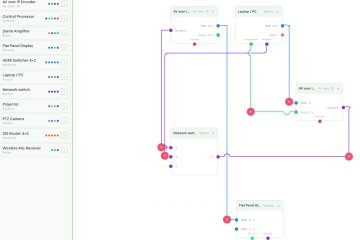
We just shipped two of our most-requested features: Rack Diagrams and Signal Flow Diagrams (SIGFLOW). Here’s what they do and why we built them. For anyone who has managed an AV installation, you know the drill: the rack diagram lives in a Visio file on someone’s desktop, the signal flow Read more

By Jason, 3 monthsApril 7, 2026 ago
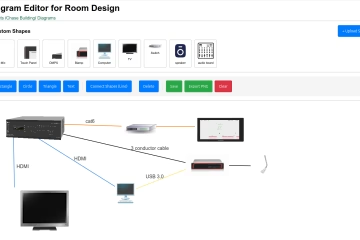
Professional conference room AV diagram created in FindBoxes Diagram Editor showing displays, speakers, and equipment connections with color-coded lines
Project Management

Introducing the Find Boxes Diagram Editor: Visualize Your AV Installations Like Never Before

We’re thrilled to announce a powerful new feature for Find Boxes Projects: the Diagram Editor. This intuitive, browser-based tool lets you create professional diagrams to plan, document, and communicate your commercial AV installations—all within your existing Find Boxes workflow. Why We Built This As AV integrators, you know that a Read more

By Jason, 6 monthsJanuary 11, 2026 ago
Inventory

December Updates: Streamlined Tagging and Direct Client Messaging

December brought several workflow improvements to the Find Boxes platform, designed to save you time and keep your projects organized. Here are the highlights. Effortless Inventory Tagging Tags help you bypass complex model names by grouping equipment under searchable terms. What’s New: Previously, tags could only be created in Settings. Read more

By Jason, 6 monthsDecember 26, 2025 ago

Recent Posts

  • Stop Rework and Endless Emails with Our New Self-Serve Client Portal
  • Find Boxes Is Now AI-Ready: Introducing Our Official MCP Server
  • Plan, Document, and Visualize Your AV Systems — All in One Place
  • Expense Tracking Now Includes Privacy Controls
  • Introducing the Find Boxes Diagram Editor: Visualize Your AV Installations Like Never Before

Recent Comments

No comments to show.
Resources
  • Blog
  • Documentation
  • API Documentation
  • MCP server
  • Rack Elevation Creator
  • Dead Pixel Tester
  • Speaker Timer
  • Run of Show Creator
  • Teleprompter
  • Change Log
  • Privacy Policy
Reach Out
  • Instagram
  • Youtube
Solutions
  • Inventory Management
  • AV Installations
  • Education
  • Event Production

Hestia | Developed by ThemeIsle